
From registration to check-in, all in one place
A registration page for every event, a waiting list when it's full, check-in on a phone on the day and the running order in front of whoever is hosting. Meetings, breakfasts, workshops, fairs or evening events.
In short
On the day
A welcome desk without paper
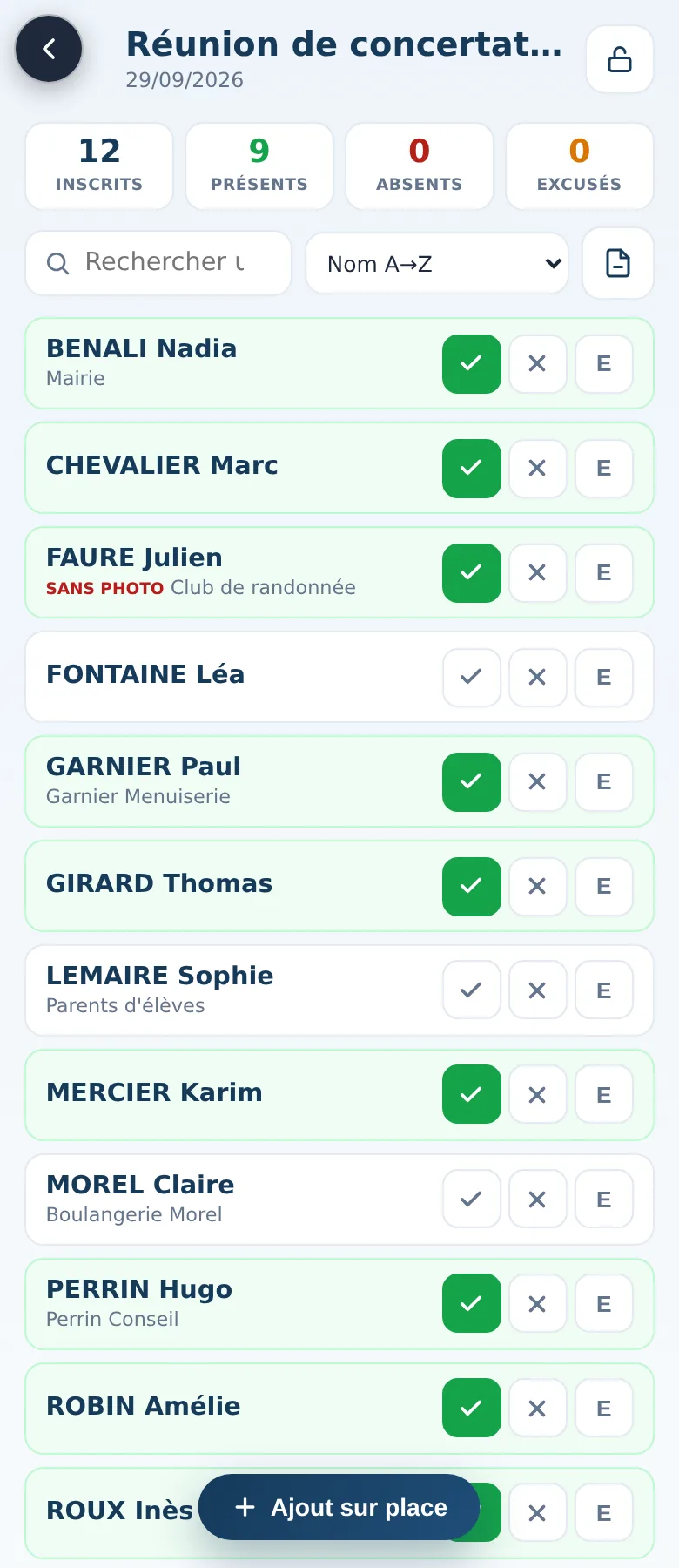
6.25 pm. Three volunteers at the door, each with a phone. The queue moves: type three letters of a name, tap “present”. Someone turns up without registering; they're added in a few seconds. Every phone shows the same counters.
6.50 pm, the desk closes: one lock, and the list stays as it is. The next day there's nothing to copy out: registrations, the evening's check-in and the running order are all in one place.
How it works
Three moments
Before: publish
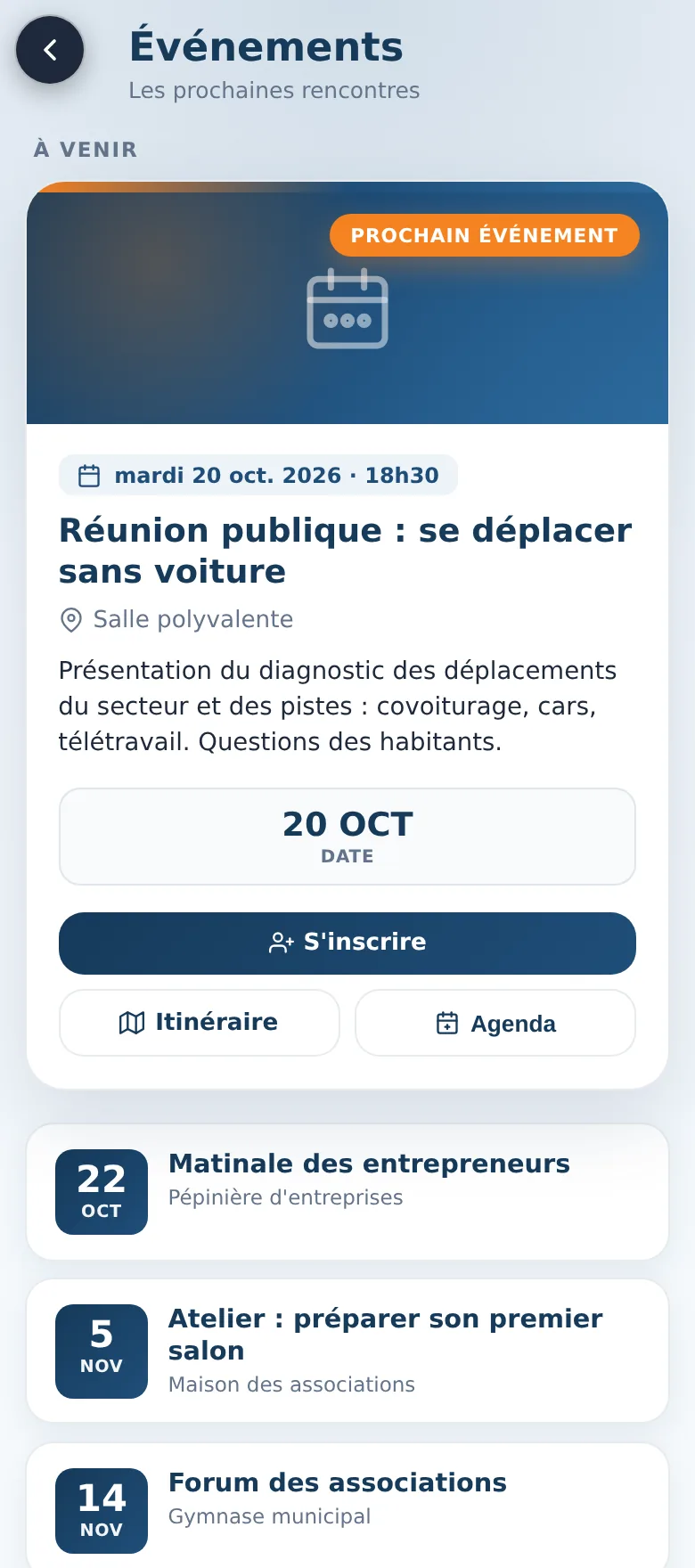
You create the event and it appears on the public page with its registration button. A draft stays hidden until you publish it.
While registrations come in: follow
Each person gets a confirmation email. Once the places are taken, the next registrations go on the waiting list.
On the day: check in
One or more phones at the door, search by name, and walk-ins added on the spot.
Included
What's included
No account needed
A short form you set up yourself, a confirmation email, and no duplicate if someone registers twice.
Places and waiting list
When places run low the page says so, then “Full”: further registrations go on the waiting list.
Who can register
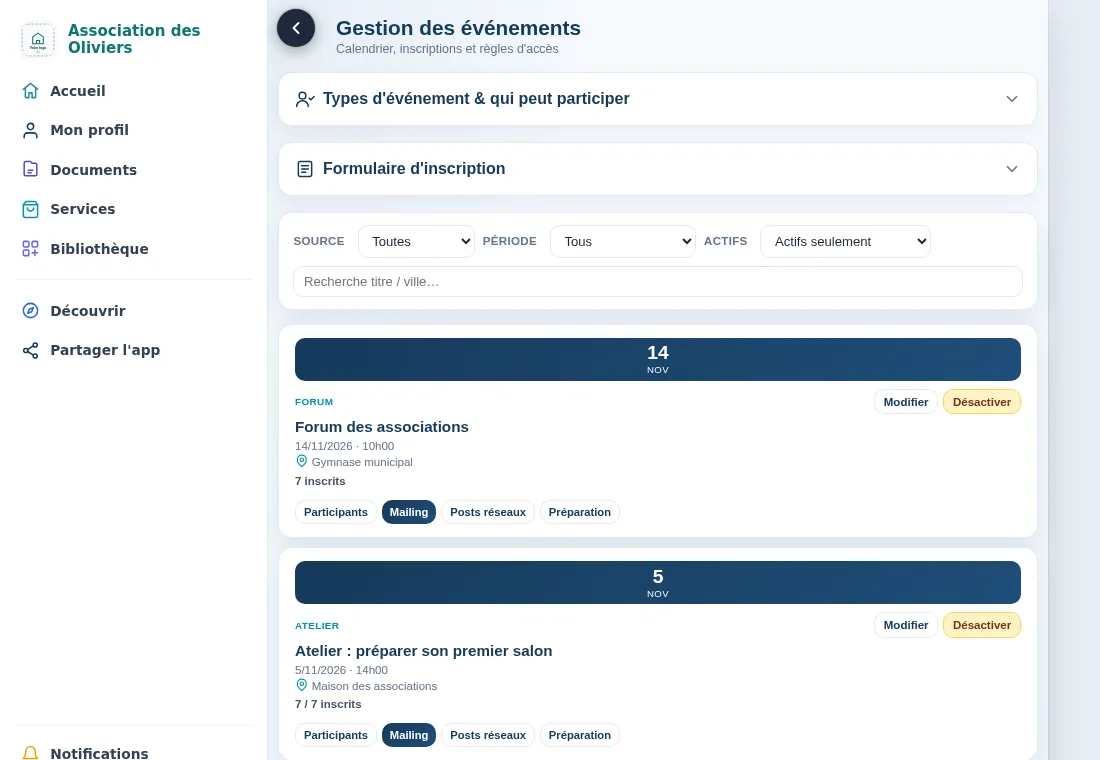
Open to all, members only, or a first visit for non-members. You set it for each event.
Check-in as a team
Several phones check in the same event; the lock freezes the list once the welcome desk closes.
Printable list
The list as a PDF, with three boxes for present, absent and excused, for those who prefer paper.
Running order and sheets
Steps, tasks to do beforehand, volunteers, printed sheets and a screen that tells you if you're running late.
Where it comes from
Built in the field
This tool was built with Réseau Actif, an entrepreneurs' club, for its own meetings, then opened up to any organisation: each account has its own event types, host venues and running orders.
The screens shown on this website are the app's own, with sample participants and events.
Frequently asked questions