
The running order ready, everyone with a task
The steps of the event, what needs doing beforehand, who's doing it, and a screen that tells you, live, whether you're ahead or behind.
Prepare
Before the event
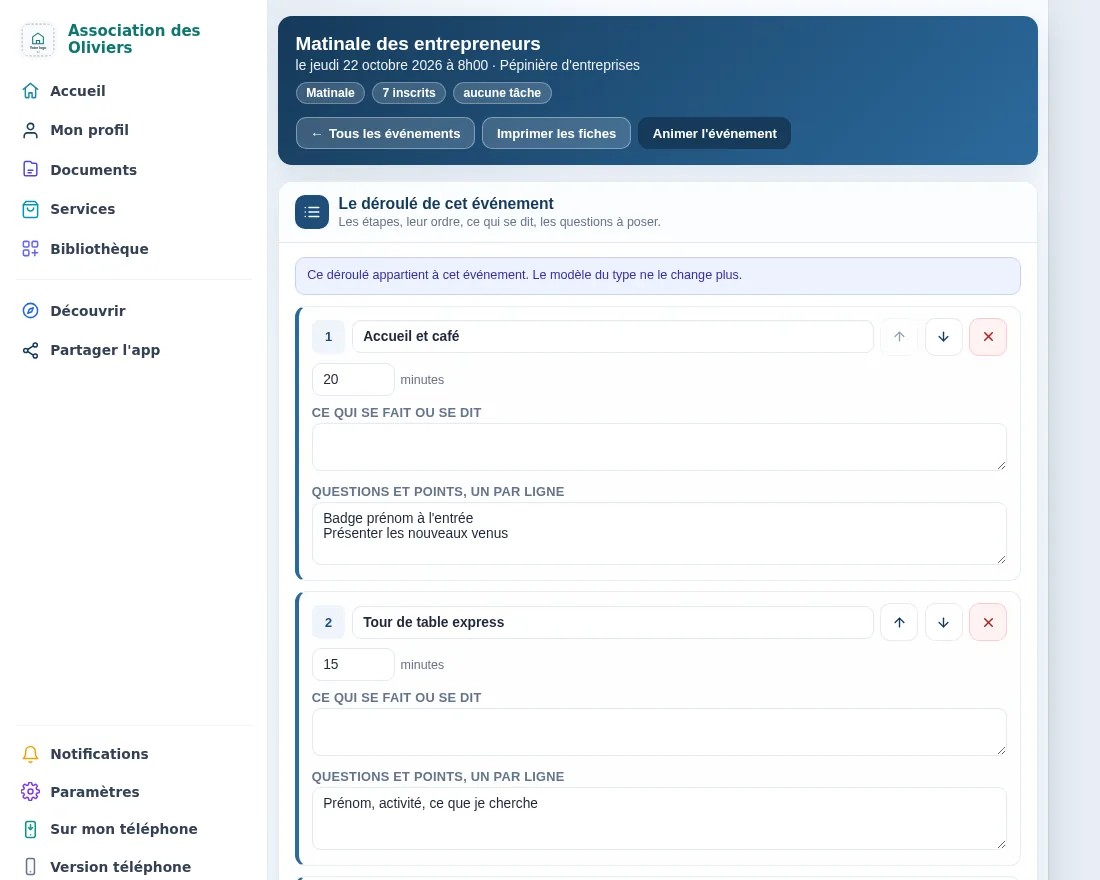
The running order
Steps in order, how long each one lasts, what's said and the questions to ask. One template per event type, which each event can adapt.
Tasks
What needs doing beforehand, to tick off, with the name of whoever is handling it; and a “don't forget” list for the day itself.
Volunteers
The people who help, with their role, thanked by name on the printed sheets and on screen.
Documents
Permits, replies from the town hall, proof of sending: filed with the event, checked by an antivirus and kept exactly as received.
Run the event
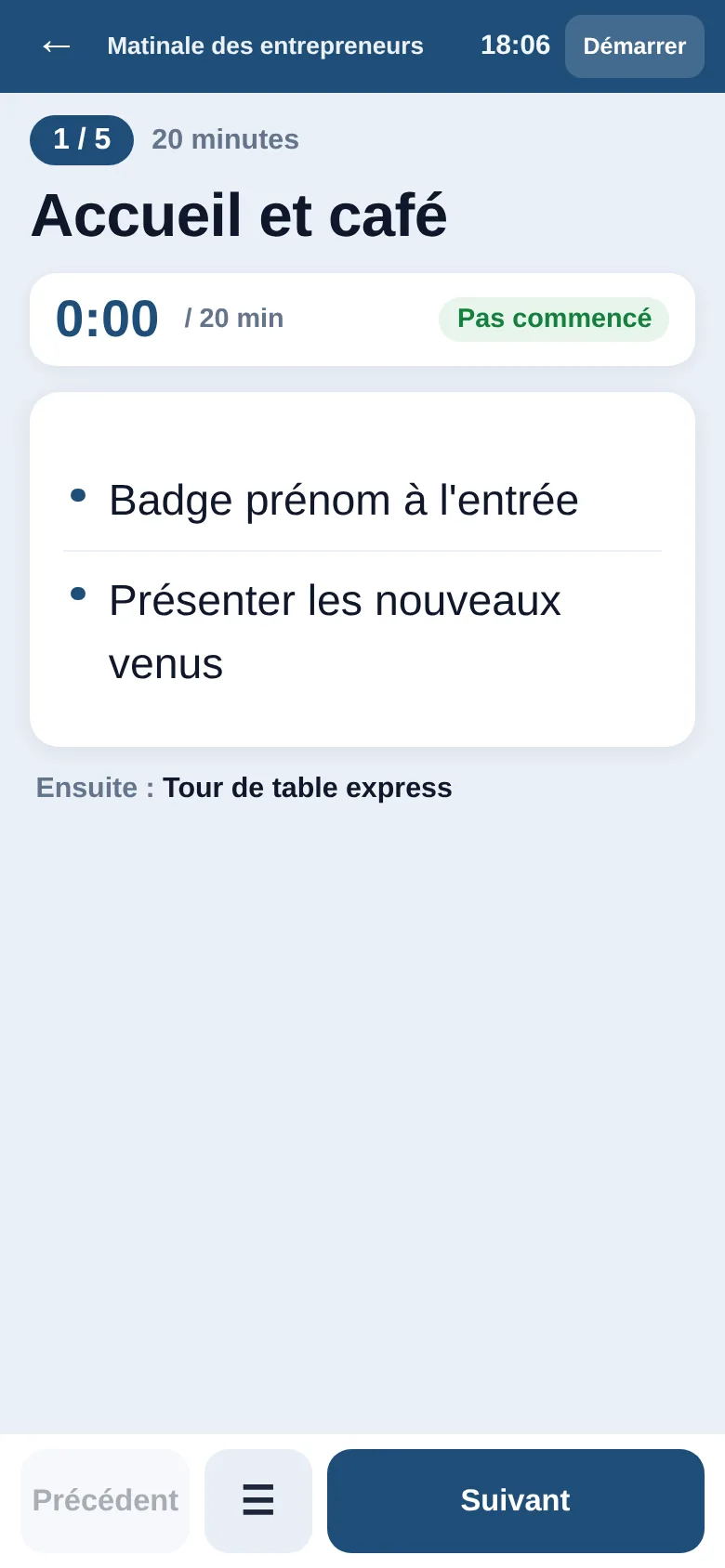
Know, mid round-table, whether to cut it short
The Run screen follows the running order on a phone or tablet: a timer for each step, how far ahead or behind you are, and what time you'll finish if you move on now. One button to move on, another to go back. Once open, it keeps working even if the venue's network drops.
For those who prefer paper, each step becomes a printed sheet, numbered and in colour, in A5 size: two to an A4 page, with a cutting line.
If you have them
The rest of Ngento
These are other parts of Ngento: they connect to event management when your account includes them.
Announce and follow up
With Mailing, a button prepares the event's announcement to your contacts, then a follow-up and a reminder to those registered.
The flyer
With Ngento's Logo Studio, a button on the event's card in the management screen takes you to its poster or flyer.
Your website
With the Ngento website, add an Events section and your upcoming events appear there.